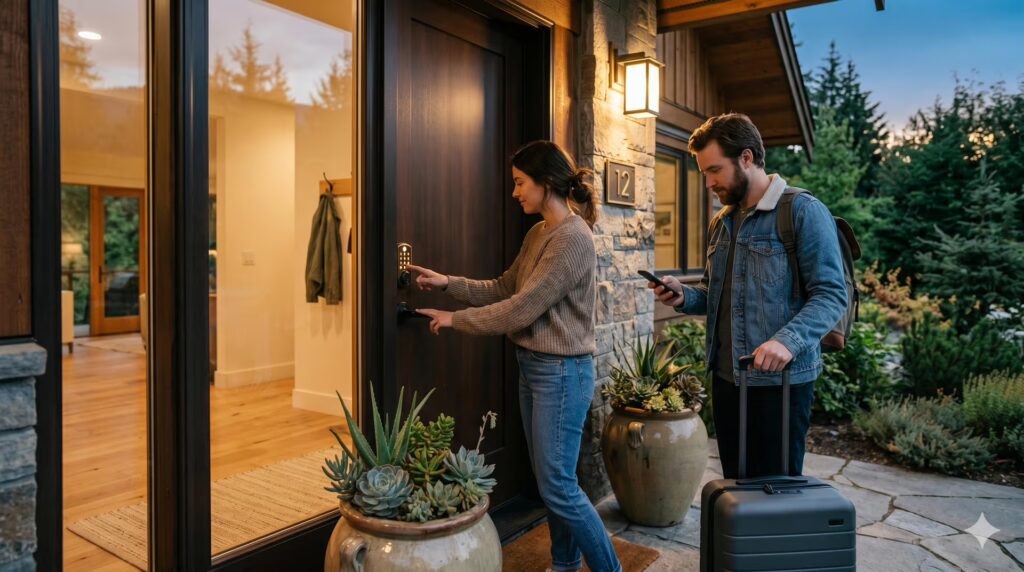
Key handover is one of the recurring headaches of managing an Airbnb or short-stay rental. Hikvision access control systems solve this by letting you send guests a temporary QR code or PIN instead of a physical key. No lockboxes, no key cutting, no coordinating arrival times around delayed flights.
The right setup gives each guest access that’s valid only during their booking window and expires automatically at checkout. You manage everything remotely, with no need to be on-site.
Why Physical Keys Are a Problem for Short-Stay Hosts
Keys get copied, lost, or simply not returned. Every time you recut keys or change a lock, you’re spending time and money you hadn’t planned for and there’s no way to know who still has a copy from a previous stay.
An access control system removes the key entirely. Guests receive a unique code before they arrive. When the booking ends, so does their access.
Temporary QR Codes for Guest Entry
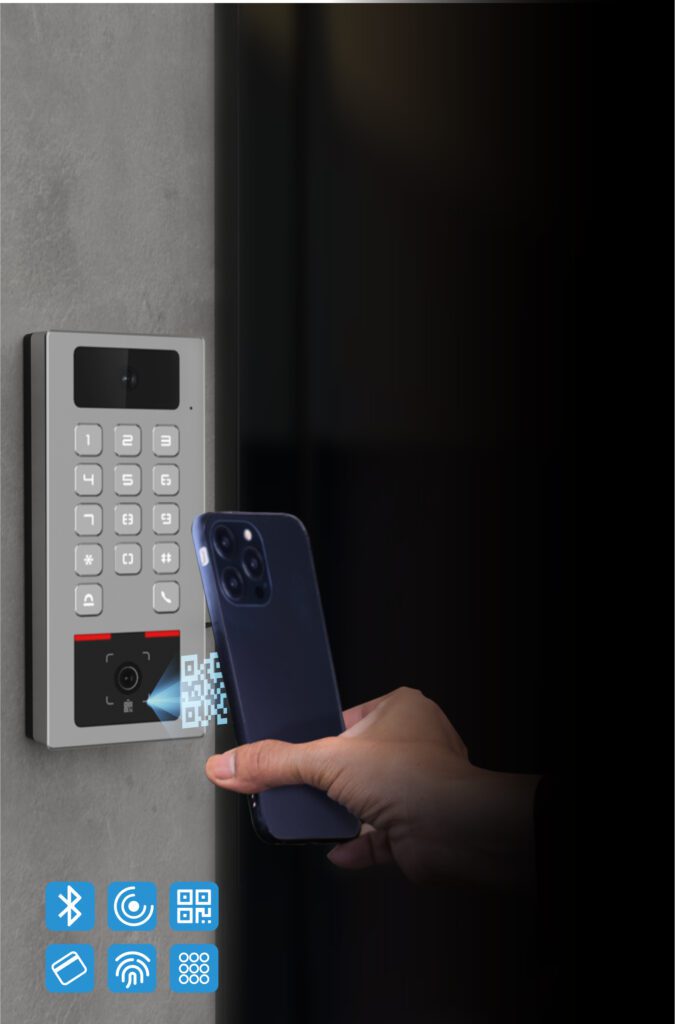
Newer Hikvision Access Control Terminals include a QR code reader that integrates with the Hik Partner Pro platform. You generate a time-limited QR code and send it to a guest by text before they arrive.
Each code can be set to allow a maximum number of uses (up to 250) and expires automatically at the end of the period you define. This works for more than just guests. If a cleaner or tradesperson needs access while you’re not around, you send them a separate code with its own expiry. No keys, no on-site visit required.
QR code access is available on newer Hikvision Access Control Terminal models. If this feature is important to your setup, mention it when speaking with your installer so the right hardware is specified.
Temporary PINs and Scheduled Access Windows
PIN access is another option. You can assign each guest or regular visitor their own unique code rather than relying on a shared PIN that never changes.
On newer Access Control Terminal models, you can also set an access schedule per user. For example, a cleaner’s access could be restricted to weekdays between 9am and 5pm. This per-user scheduling isn’t available on older models, so it’s worth specifying current hardware upfront if you need that level of control.
Bluetooth Auto-Unlock for Owners and Property Managers
The Hikvision KV6 Series Door Stations support Bluetooth auto-unlock via the HikConnect app. When your phone comes within range of the door station, the lock releases automatically with no codes to enter, no card to present.
The HikConnect app needs to be running in the background for this to work. Bluetooth sensitivity and range are adjustable in the device settings. It’s a practical feature if you visit the property regularly between stays.
One Unit, Two Locks
If your property has a front door and a separate gate or roller door, you may not need two units. The KV6 Series includes dual lock outputs, so a single door station can control two independent locks, each triggered by a different PIN.
These units are also PoE (Power over Ethernet) powered. A single Ethernet cable carries both power and data, which simplifies installation and removes the need for a separate power supply in most setups.
IP67 and IK10 Rated for Outdoor Installation
Hikvision Access Control Terminals are rated IP67 for weather resistance and IK9 or IK10 for impact resistance, making them suited to year-round outdoor use. In particularly exposed locations, a rain cover adds further protection.
Fingerprint and facial recognition models are also available. The facial recognition versions use a dual-camera system with 3D face mapping and Hikvision’s Generation 6 algorithm, designed to distinguish a live face from a photograph.
If you’re weighing up professional-grade systems against consumer doorbells, our comparison of Ring vs Hikvision and Dahua intercoms covers the key differences.
Fire Egress: What You Need to Know
Australian fire egress requirements apply to any property with electronic locks. This is a legal requirement, not an optional extra. Electronic locks on main doors must always allow free exit from the inside, typically via a handle or push bar, and fire exits must be configured as fail-safe, meaning the lock releases automatically if power is lost.
A professional installer will design your system to comply from the start, avoiding costly rectification work later.
Get Keyless Guest Access Set Up Properly
Access control involves more than fitting hardware to a door frame. The system needs to be configured correctly, integrated with your network, and built to meet fire egress requirements from day one.
Jim’s Security can assess your short-stay property, recommend the right Hikvision hardware, and handle the full installation. View our Video Intercoms and Access Control services or see the Hikvision IP Intercom Package as a starting point.
Ready to ditch the lockbox? Get in touch with Jim’s Security today for a free quote or call 131 546!