If you are looking to install or upgrade a commercial security system in Australia, you have likely noticed that 4K (8-Megapixel) resolution is heavily pushed as the modern industry standard. Leading market players like Securitec, VTech, and CTCAS all prominently feature 4K setups in their product lineups.
But if you are a business owner reviewing a security quote, it is completely natural to look at the price difference and wonder: Is this a genuine operational upgrade, or is it just tech industry hype designed to inflate my setup costs?
Let’s look at a straightforward, hype-free breakdown of 4K surveillance technology under real Australian commercial conditions, analyzing when it is an absolute necessity and when a standard 1080p or 4-Megapixel (2K) system is actually the smarter investment.
1080p vs. 4K: The Hard Math on Resolution
To understand the value of 4K, it helps to look at the sheer density of data being captured.
A standard 1080p (2MP) camera captures an image made of 1920 × 1080 pixels—roughly 2.1 million pixels in total.
A 4K (8MP) camera records at 3840 × 2160 pixels, which equals 8.3 million pixels.
1080p (2 Megapixels) –> [ 2.1 Million Pixels ]
4K UHD (8 Megapixels) –> [ 8.3 Million Pixels ] <– 4x more visual data!
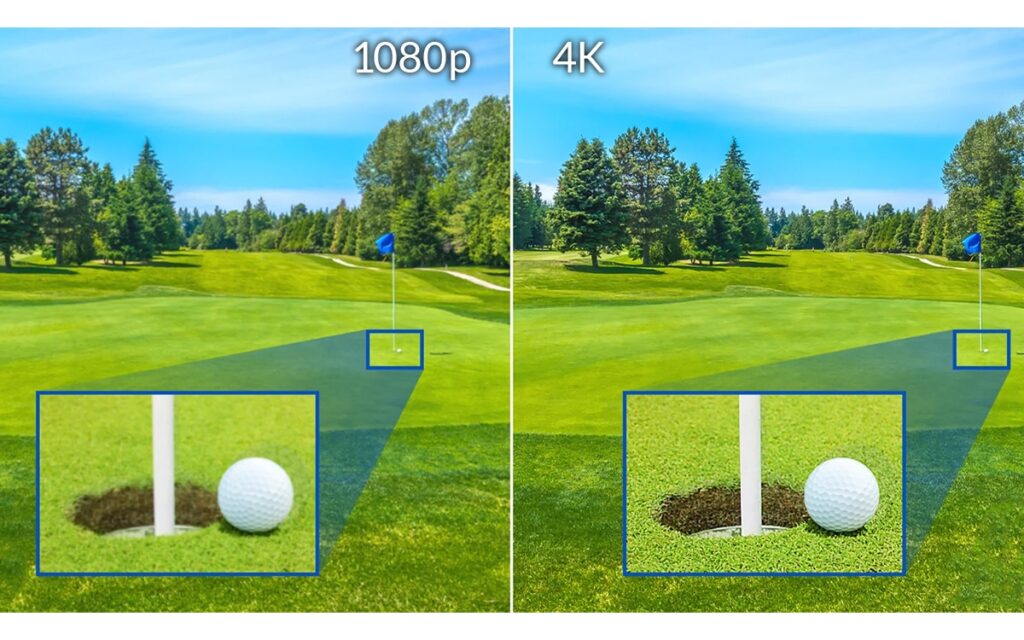
This means a 4K camera packs exactly four times the visual data into the exact same frame size. In a real-world security scenario, this doesn’t just mean a “prettier” picture; it determines the Digital Zoom Boundary.
When you zoom in on 1080p footage to catch a detail like a vehicle registration plate or a face 15 meters away, the image quickly pixelates into blurry squares. Because 4K begins with four times the pixel density, you can digitally zoom deep into recorded footage while maintaining the sharp edges required for police evidence.
The Hidden Costs of 4K: Storage & Network Infrastructure
While 4K offers unmatched clarity, those extra pixels create massive files. Before investing in a 4K ecosystem, you must account for the secondary infrastructure required to handle it.
Storage Requirements (The Terabyte Trap)
A 4K camera stream consumes significantly more data per second than lower-resolution models. To see how resolution directly impacts hardware costs, let’s look at a realistic baseline breakdown using standard security industry parameters.
Our Baseline Testing Assumptions:
- Cameras: 4 cameras total
- Recording Type: 24/7 continuous recording
- Storage Capacity: 2TB usable storage space (roughly 1,862 GB actual formatted capacity)
- Frame Rate: 15 fps (the universal commercial standard, 25/30 fps is usually overkill and rarely used for continuous recording)
- Codec: H.265 (the current standard on most modern NVRs and DVRs)
- Compression: Constant Bitrate (CBR) typical mid-range averages for each resolution—realistic for mixed scene activity (not completely idle, but not peak motion)
Based on these exact constraints, look at how rapidly increasing your resolution cuts down your historical archive days:
| Resolution & Megapixels | Days of Footage on a 2TB Drive |
| 1080p & 2MP | ~28 days |
| 4MP | ~14 days |
| 6MP | ~9.5 days |
| 4K & 8MP | ~7 days |
Formula used to calculate data rates: Bitrate (Mbps) × 3600 seconds × 24 hours ÷ 8 bits ÷ 1024 = GB/camera/day.
As the data proves, jumping from a basic 1080p setup to a 4K system slashes your available footage history from a comfortable four weeks down to just seven single days.
Key Caveats: How to Outsmart the Data Load
These figures represent a strict baseline. In the real world, several major operational variables can change these storage timelines significantly:
- Motion-Only Recording: This is standard practice for a reason. Switching from 24/7 continuous recording to recording only when action occurs can expand your storage capacity by 2 to 4 times. For example, this can easily push a 4MP setup from 14 days up to a full month of retention.
- Variable Bitrate (VBR): Most modern NVR systems support VBR rather than CBR. This reduces storage needs even further by automatically dropping data consumption when scenes are static.
- Scene Complexity: A camera pointing at a busy street or an active warehouse floor can use up to 3 times more actual bitrate than a camera capturing a quiet, static indoor office corridor.
- H.264 vs. H.265: If you deploy older H.264 legacy compression instead of modern H.265, your storage needs double, cutting the days of footage shown in the table roughly in half.
- Substream Recording: A highly effective storage-saver where the NVR records a low-resolution stream for standard, quiet background surveillance, but instantly triggers full-resolution 4K recording the moment motion sensors are activated.
Pro-Tip: Major manufacturers like Hikvision, Dahua, and Uniview provide custom online storage calculators. Once we lock in your building’s exact camera quantities and layout needs, we use these to pinpoint the exact hard drive sizes required for your targets.
NVR Compatibility
You cannot simply plug a new 4K camera into an older, existing Network Video Recorder (NVR). A 4K stream requires a consistent 6.0 Mbps of network bandwidth per camera.
More importantly, your NVR’s internal processor must have the decoding throughput capacity to handle incoming 8MP streams. If your current recorder maxes out at 4MP or 5MP processing per channel, plugging in a 4K camera will result in dropped frames, system freezes, or the recorder forcing your expensive new camera to downgrade to a lower resolution anyway.
When 4K Makes Absolute Sense vs. When It’s Overkill
High-resolution tech is brilliant, but it isn’t required for every square meter of your business.
4K is an absolute necessity for:
- Perimeter and Car Parks: Tracking incoming vehicles where you must read license plates or identify makes and models across large, open outdoor expanses.
- Point of Sale (POS) & Cash Tills: Monitoring cash registers or high-value inventory counters where you need to clearly see the denominations of currency notes and specific small items changing hands.
- High-Ceiling Logistics: Large warehouses or distribution hubs where cameras are mounted high up on structural steel, yet need to see inventory tracking labels down on the floor.
4K is usually overkill for:
- Small, Enclosed Rooms: Office reception areas, small staff kitchens, or narrow corridors. In a tight space where an individual is always within 3 to 5 meters of the lens, a high-quality 1080p or 4MP camera provides perfect clarity for a fraction of the cost.
- Low-Light Speed Capture: Unoptimized 4K sensors feature incredibly tiny individual pixels packed onto the sensor chip. Because smaller pixels capture less light, cheap or poorly engineered 4K cameras can suffer from severe “motion blur” at night when attempting to capture fast-moving subjects.
Brand Options: Premium 4K Commercial Range
When moving up to 4K, it pays to stick to enterprise-grade chipsets that feature advanced processing engines designed to handle low-light and motion tracking challenges.
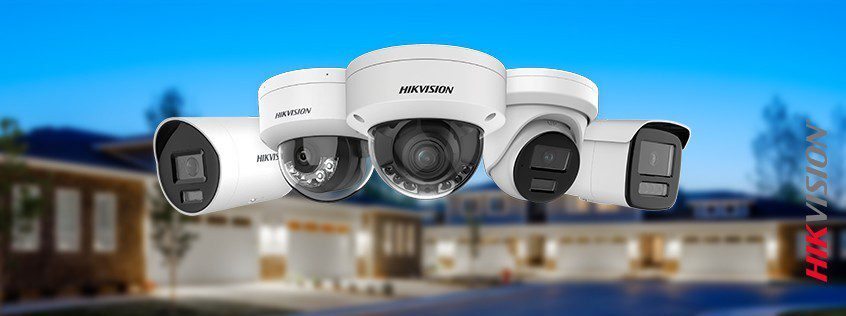
Hikvision ColorVu (4K Series): Traditional cameras switch to grainy black-and-white infrared mode at night. Hikvision’s ColorVu technology utilizes an ultra-large aperture lens and high-sensitivity sensors to capture vivid, full-color 4K images even in near-total darkness, making it phenomenal for overnight yard security.
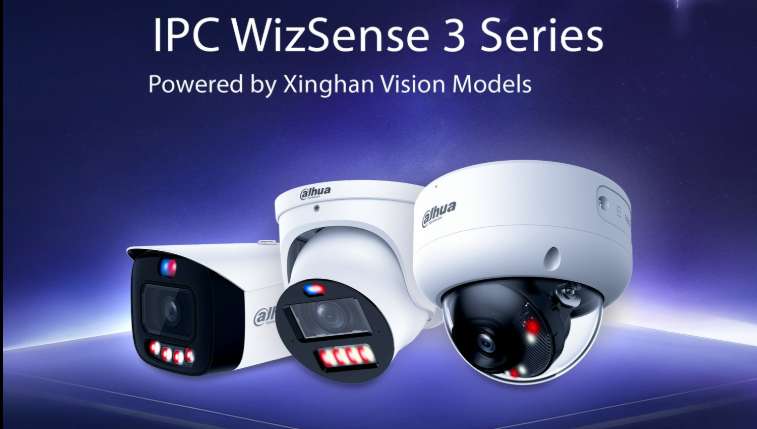
Dahua WizSense (4K Series): Dahua integrates powerful Artificial Intelligence algorithms directly inside the camera hardware. Their 4K WizSense line uses this massive resolution to accurately differentiate between humans, vehicles, and stray animals or shifting shadows, dropping false alarms on your building perimeter by up to 90%.
The Strategic Solution: The Hybrid Approach
You do not have to choose between a basic 1080p system and an incredibly expensive all-4K infrastructure.
The smartest, most cost-effective way to engineer a modern commercial security layout is a Hybrid System:
- Deploy 4K cameras strategically on your absolute highest-risk zones (the main driveway entry, the front cash office, and the main loading dock).
- Deploy cost-effective 4MP (2K) or 1080p cameras across internal corridors, staff areas, and low-risk spaces.
This balanced configuration gives you pristine, legally actionable evidence exactly where crimes or liabilities occur, while keeping your NVR processing loads, storage costs, and initial hardware investments completely under control.
Get a Custom Commercial Site Assessment
Are you ready to design a surveillance network that balances perfect visual clarity with your actual operational budget?
The licensed commercial security experts at Jim’s Antennas and Security can walk through your property, assess your structural risks, and calculate the exact storage, bandwidth, and resolution mix your enterprise needs.
Call Jim’s Antennas today on 131 546 for a zero-obligation, onsite commercial security assessment, or book your free quote online in seconds!